🚀 MyBib: it's time for an upgrade!
October 13th, 2026 update: please see the amendment to the end of this blog post for an update which supersedes some of the key points in the original post below.
Wow – can you believe it has been almost 5 years to the day since my last post? How time flies.
Well, I’m writing today to tell you about a new MyBib update. An update so big it should really be called MyBib V2. Here we go…
First, lets look at some of the changes. Then after, I’ll explain why this was necessary.
What’s changed?
-
A complete technical rebuild
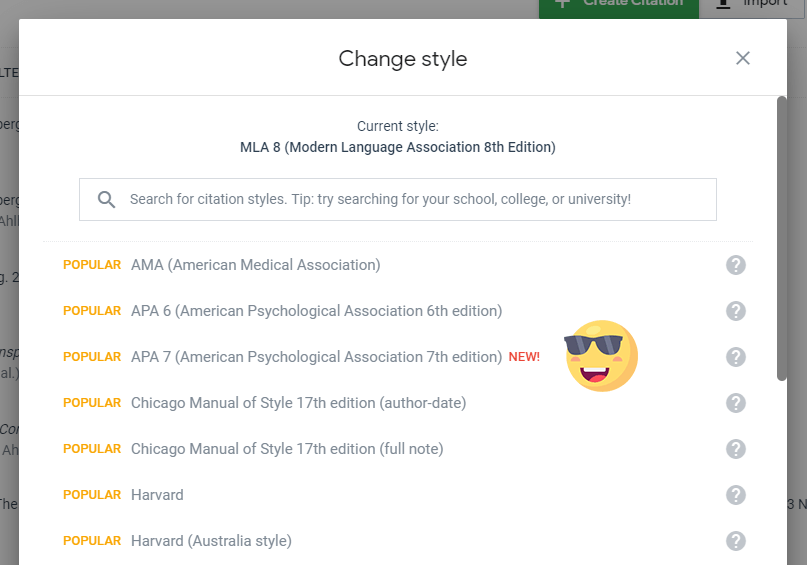
MyBib has been rebuilt from the ground up. It’s snappier, more responsive, and will keep working even if you lose your internet connection (mostly!). Loads of existing stuff has been fixed and improved, including dark mode, style and font selection, and the project limit has been removed.Accessibility has been significantly improved, and the keyboard can now be used to navigate around the interface.
All the MyBib features remain completely free to use and all your data is stored on your device by default, as before.
-
Folders within folders
One of the most requested features from old MyBib was to be able to have folders within folders. Now you can go ahead and drag one right into another.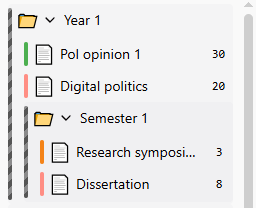
-
Undo/redo
Look for the two arrows in the top-left corner – those are undo and redo buttons. Made a mistake? Click undo. Realize it actually wasn’t a mistake? Click redo.
-
In-text citation builder
It is now possible to create composite in-text citations (that means a single citation made up of multiple sources), and to also include the locator (page, chapter, section etc.).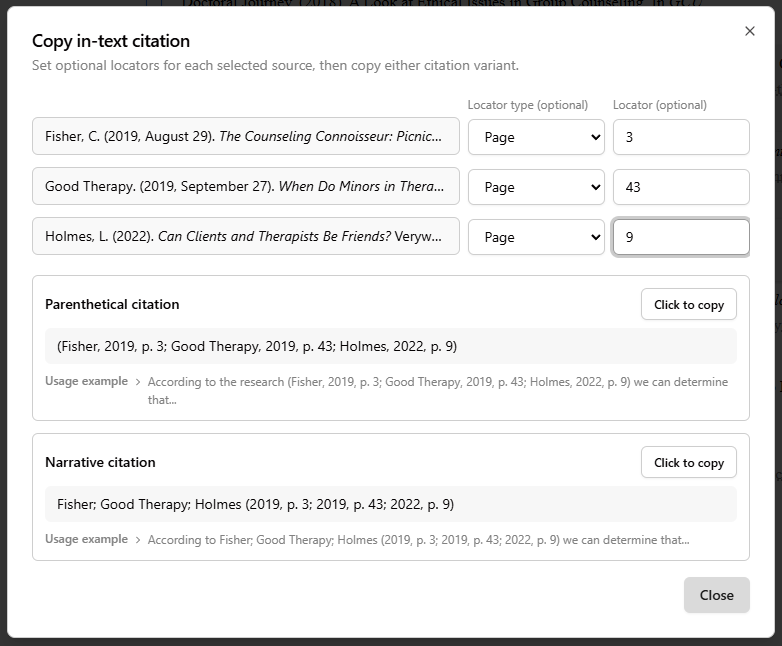
-
Prompts and tips
MyBib will now show you a prompt if it thinks you may be making a mistake. For example, if you enter the title casing incorrectly (a very common one), or if you try to add a duplicate citation that you have already added!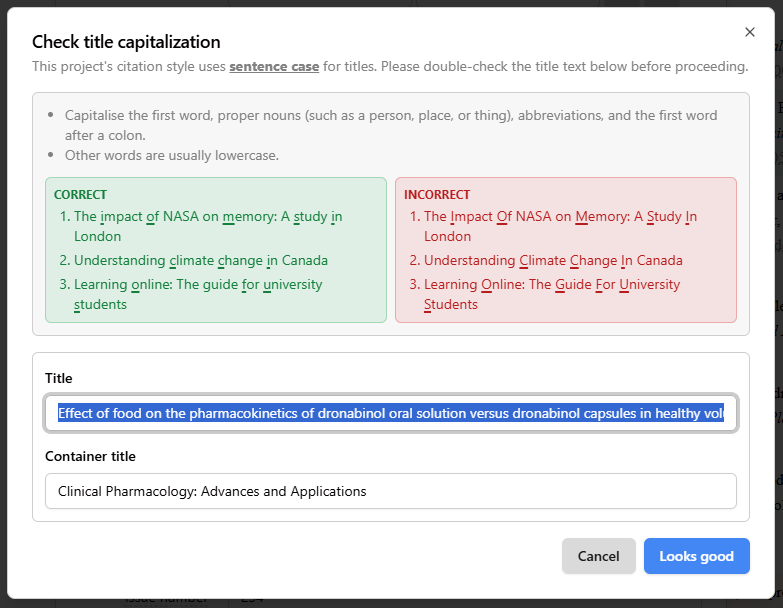
-
Word count and time saved
Check the bottom right corner for these two handy pieces of information. ‘Time saved’ is based on the time we calculated it takes for an average undergraduate student with no experience of writing citations manually, in conjunction with the complexity of the citations in the project.
-
Emojis!
Give your project an relevant emoji! 😎 for your favs and 💩 for your un-favs, maybe.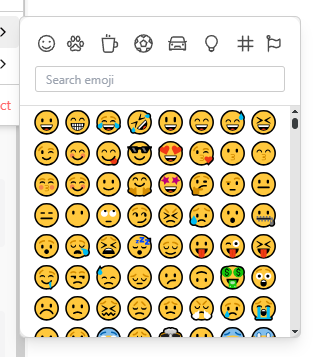
-
Multi-delete
Select multiple folders, projects, and citations, and delete them all with a single click. No need to delete one-by-one any more.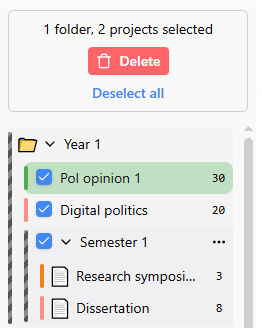
Why the change?
A lot has changed since V1 of MyBib was launched 8 years ago. Most notably: the number of students using MyBib! This has lead to an increasingly scary monthly server bill.
In the first year, MyBib’s server bill was about $30 per month. Less, in fact, because I ran it on the same server as my other side projects. The year after it cost about $60/month, and about $100/month the year after that, and so on, roughly doubling each year. This year I’m anticipating server costs of about $2,000 a month. Yes, two-thousand.
Some of that has been due to skyrocketing costs for servers, caused by the insatiable demand for them by AI companies. But most of it is simply to keep increasing the power in order to keep up with all the people using MyBib.
MyBib is not funded by investors or anything like that. I have not raised investment, and I do not intend to, because we all know how that turns out (spoiler: not in the best interests of the users). Until now, I have been funding MyBib with credits provided by hosting companies, donations, and where necessary, by myself.
The biggest part of the server bill has been for data storage – presently, if you create a free MyBib account, your work is backed up to the MyBib server. That, unfortunately, cannot continue for free.
Introducing MyBib Plus
MyBib Plus is essentially a MyBib account with a subscription to store your work safely on the MyBib server. The price is $2 per month, paid annually (so $24 per year). That means I need 83 people to upgrade every month to cover the bill, which is quite a big ask.
For those who do not upgrade, you can still use MyBib and all the existing features without an account at all, for free. But if you want to ensure your work is stored safely on our server, and accessible on any device, you will need a MyBib Plus account.
Now some good news: everyone who already has an existing MyBib account will automatically get a free MyBib Plus upgrade for the first year! You don’t even have to do anything – just log in as normal and look for “MyBib Plus” in the top-left corner to confirm it.
I hope that feels reasonable. The last thing I want is for MyBib to have to turn into another one of the other citation websites, infested by ads, pop-ups, and poor value. There will definitely be no ads on MyBib, ever. Nor do I want to have to shut it down. Now that its bills can be paid independently, I can ensure that MyBib will be around for another eight years and beyond.
October 13th 2026 update
It has been 3 months since the above announcement, and unfortunately the total cost of running MyBib is still not being met by the upgrades. I had hoped that enough people would be willing to upgrade as an optional extra, to cover the total cost of supporting everyone who uses MyBib. I appreciate those of you who upgraded, but I significantly overestimated how many would do so.
Additionally, I have encountered another rapidly growing problem: sites that host resources commonly used in academia, such as news websites (e.g. WSJ, Reuters, NY Times) and journal article repositories (e.g. JStor, ScienceDirect, ResearchGate), are rapidly implementing aggressive anti-bot shields to protect themselves from AI companies that slurp up all their data. You may have noticed these sites make you complete a captcha or show you a “checking your browser…” loading screen in order to access them now. These things prevent automated access to the resources they are protecting.
MyBib is getting caught up in these defences when it tries to obtain citation metadata for autocite. From the resources’ point of view, MyBib’s metadata scanner looks very similar to an AI slurper. This degrades the effectiveness of MyBib’s autocite function, and finding ways to ensure it still works reliably requires both my time, and more money - pushing the running costs up further. Seriously, keeping MyBib in working order is almost a full-time job for me at this point (and I already have one of those). It wasn’t like this last year.
For this reason I have regrettably had to implement a further change I really hoped I wouldn’t have to, in order to encourage people to upgrade. Going forward, MyBib will only store your projects for 3 days without upgrading.
If you typically generate your bibliography right at the end of your paper, then this shouldn’t affect you. But if you are an ongoing and regular user of MyBib, and use it as more of a reference management tool, then I hope you will consider supporting it with an upgrade. This is an experiment, so depending on how well this goes I may be able to open it up further again in the future.
Free upgrades for K-12 students
Finally, for K-12 students with a school email address or school Google/Microsoft login, MyBib will remain free - simply create your account the regular way and it will be upgraded automatically. Teachers and librarians: please contact support@mybib.com if your school’s email address is not being automatically detected.